
The Ultimate Playbook on How to Increase Ranking on Google Maps: From Invisible to #1 in the Local 3-Pack
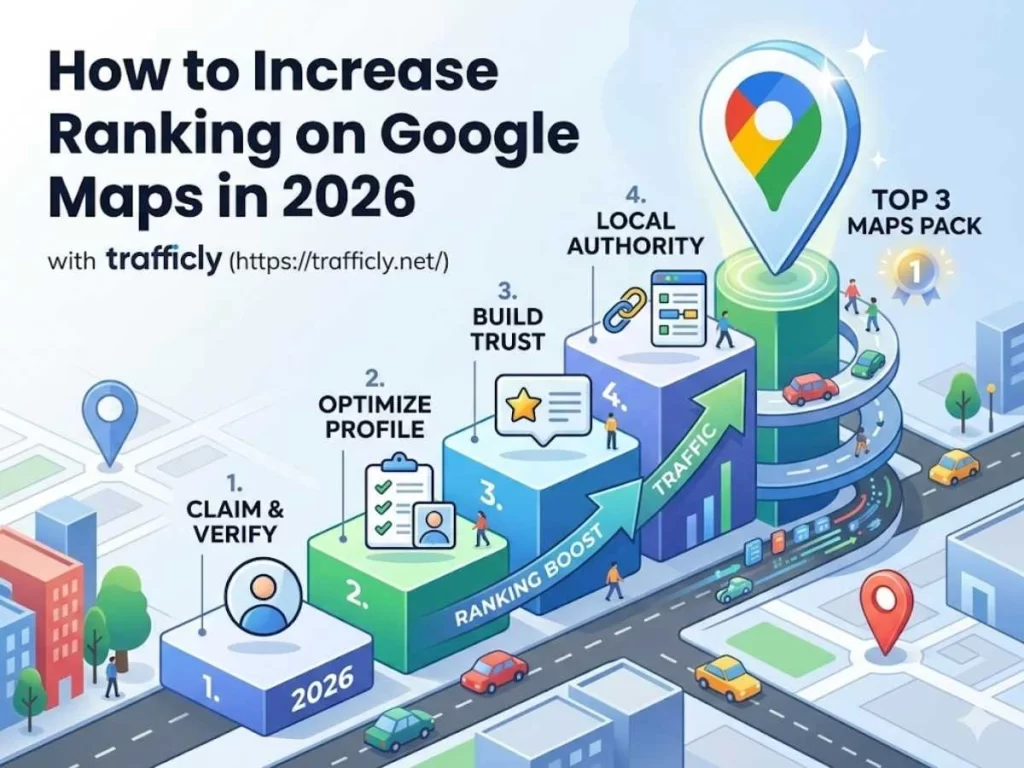
You’ve built a great business. You show up every day, serve your customers well, and deliver real results. But when someone nearby searches for exactly what you offer — your business is nowhere to be found on Google Maps.
That’s not a visibility problem. That’s a lost revenue problem.
The Google Local 3-Pack — those top three map results that appear before everything else — captures 44% of all local search clicks. If you’re not in it, your competitors are collecting customers that should be yours.
This guide is your complete, no-fluff playbook on how to increase ranking on Google Maps — covering every technical, on-profile, and off-page strategy that actually moves the needle in 2026.
Quick Answer
To rank higher on Google Maps, you must fully optimise your Google Business Profile (GBP), maintain consistent NAP data across the web, generate frequent and genuine customer reviews, build authoritative local citations, and ensure your website is technically sound and locally relevant. These factors signal to Google that your business is relevant, trusted, and geographically close to the searcher.
📞 Ready to dominate Google Maps in your area? Let Trafficly’s local SEO experts do the heavy lifting for you.
Why Google Maps SEO Is the Highest-Converting Traffic Source You’re Ignoring
Before we dive into tactics, let’s understand why this matters more than almost any other marketing channel.
Google Maps traffic captures users at the “moment of intent.” These aren’t people casually browsing — they are actively searching for a business to call, visit, or purchase from, often within the next 24 hours. This is buyer-ready traffic. High intent. Low resistance.
Compare that to social media or display advertising, where you’re interrupting someone’s scroll. With Google Maps, the customer is already looking for you — or someone exactly like you.
If you want to understand how this fits into a broader strategy, read our ultimate local SEO strategy for small businesses — it gives you the full picture of local dominance beyond just Maps.
The Three Pillars Google Uses to Rank You on Maps
Google’s local ranking algorithm isn’t a mystery. It publicly confirms three core ranking factors:
1. Relevance — Does Your Business Match the Search?
Relevance is about how well your Google Business Profile matches what the user is searching for. This is determined by your business category, your description, your services, and the keywords present throughout your profile.
The fix: Be precise. Don’t call yourself a “solutions provider.” If you’re a plumber in Manchester, say “Emergency Plumber in Manchester.” Specificity wins.
2. Proximity (Distance) — How Close Are You to the Searcher?
Google Maps heavily factors physical distance between your business location and the person searching. You can’t control where searchers are, but you can ensure your address is accurately listed and that you’re creating geographically relevant content.
The fix: Use your actual verified business address. Service Area Businesses (SABs) without a displayed address consistently rank lower than businesses with a visible physical location.
3. Prominence — How Well-Known and Trusted Is Your Business?
Prominence is where the bulk of your optimisation effort pays off. It’s built through reviews, backlinks, citations, engagement metrics, and your overall online authority.
The fix: This is the pillar you can aggressively grow — and we’ll cover exactly how below.
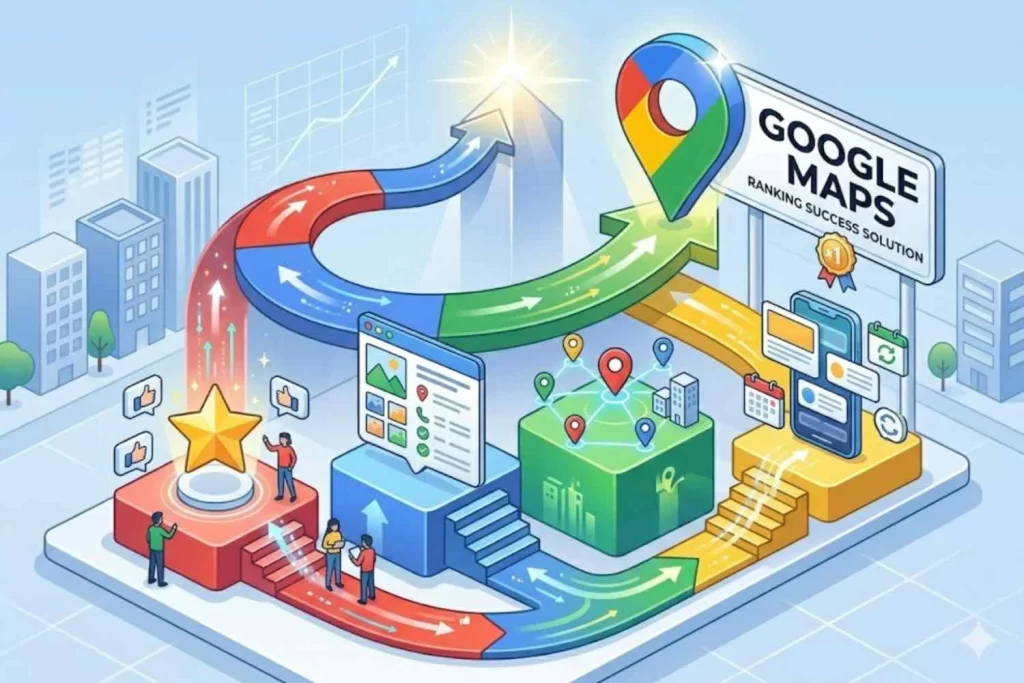
Step-by-Step: How to Increase Ranking on Google Maps
Step 1 — Claim, Verify & Fully Optimise Your Google Business Profile
Your Google Business Profile (GBP) is your most powerful local SEO asset — and it’s completely free. Yet most businesses leave it half-finished.
Here’s what full optimisation looks like:
✅ Business Name: Use your real, legal business name. Do not stuff keywords into your business name — Google can suspend your listing for this.
✅ Primary Business Category Selection: This is arguably the most critical decision in your entire GBP setup. Your primary category tells Google what you are. Choose the most specific, accurate option. If you’re a personal injury solicitor, don’t just select “Lawyer” — select “Personal Injury Attorney.”
✅ Secondary Categories: Add relevant secondary categories to expand your relevance signals without diluting your primary focus.
✅ Business Description: Write a 750-character description rich with your primary keyword (how to increase ranking on Google Maps-style intent), your services, and your location. Make it human-first, not keyword-stuffed.
✅ Google Business Profile Attributes: These are the small but powerful details — “wheelchair accessible,” “women-led,” “free Wi-Fi,” “outdoor seating.” They filter search results and build trust with specific audiences.
✅ Products & Services: List every service you offer with descriptions and pricing where possible. Each service listing is another relevance signal.
✅ Business Hours & Special Hours: Always keep these accurate, especially during bank holidays. A business shown as “open” when it’s closed destroys trust instantly.
For deeper profile maintenance strategies, explore our guide on SEO Service Business News Tips UK for 2026— especially relevant if you manage multiple locations.
Step 2 — NAP Consistency: The Silent Ranking Signal Most Businesses Get Wrong
NAP stands for Name, Address, Phone Number — and consistency across every platform on the internet is a foundational local SEO requirement.
If your GBP says “123 High Street” but your website footer says “123 High St” and Yelp says “123 High Street, Suite 2” — Google sees three different businesses. That confusion erodes trust and tanks your rankings.
What to audit:
- Your own website (header, footer, contact page)
- Google Business Profile
- Bing Places
- Apple Maps
- Yelp, Yell.com, Thomson Local
- Facebook Business Page
- Industry-specific directories
Every single instance must be letter-for-letter identical.
Step 3 — Build a Review Engine (Review Velocity & Recency Are Critical)
If proximity is the door to Google Maps rankings, reviews are the key.
Google doesn’t just look at your star rating. It analyses:
- Review velocity — how frequently new reviews arrive
- Review recency — how recent your latest reviews are
- Owner response rate — whether you respond to reviews (both positive and negative)
- Review content — do reviewers naturally use keywords relevant to your services?
How to build a sustainable review system:
- Send a follow-up SMS or email after every transaction with a direct link to your GBP review page
- Train your team to verbally ask satisfied customers to leave a review
- Respond to every review — positive or negative — within 24–48 hours
- Never incentivise reviews or use review-gating tactics (Google’s policy prohibits this)
A steady stream of authentic, keyword-rich reviews is one of the most powerful signals you can send. Businesses with consistent review velocity outrank static competitors — even those with more total reviews.
Step 4 — Photos, Posts & User-Generated Content (UGC)
Google’s internal data shows businesses with photos receive significantly more direction requests and website clicks than those without. This directly impacts your click-through rate (CTR) from Maps — itself a ranking signal.
Photo strategy:
- Upload fresh photos at least 2–3 times per week
- Include exterior shots, interior, team photos, products, and work-in-progress images
- Use geo-tagged photos where possible (embed location data in image metadata)
- Encourage customers to upload their own photos — this is user-generated content (UGC) and Google values it highly
Google Posts: Regular posts (offers, events, updates, news) signal to Google that your business is active and engaged. Post at minimum once per week. Include a keyword, a call-to-action, and a compelling image.
Step 5 — Local Citation Building & Directory Listings
A local citation is any online mention of your business’s NAP — whether on a directory, a blog, a news site, or a social platform. Citations build Google’s confidence in your business’s legitimacy and prominence.
Where to build citations:
- General: Google, Bing, Apple Maps, Facebook, Yelp, Yell.com
- UK-specific: Thomson Local, FreeIndex, Scoot, Hotfrog UK
- Industry-specific: Checkatrade, TrustATrader, Rated People (for tradespeople), Solicitors.guru (for legal), etc.
Quality matters more than quantity. Ten citations from authoritative, relevant directories outperform 100 from spammy link farms.
To understand how citations and link authority compound together, read about the advantages of high-quality backlinks in SEO — the principles apply directly to local authority building.
Step 6 — Technical SEO for Local: Schema Markup, Speed & Mobile
This is where most local SEO guides stop short. But if your website isn’t technically sound, your GBP optimisation will only take you so far.
LocalBusiness Schema Markup (JSON-LD)
Schema markup is structured data code you add to your website that explicitly tells Google what your business is, where it is, what it does, and how to contact you. The most powerful type for local SEO is LocalBusiness schema in JSON-LD format.
Here’s a basic example:
| { “@context”: “https://schema.org”, “@type”: “LocalBusiness”, “name”: “Trafficly Digital Marketing”, “url”: “https://trafficly.net/”, “telephone”: “+448432893468”, “address”: { “@type”: “PostalAddress”, “streetAddress”: “Your Street Address”, “addressLocality”: “Your City”, “addressRegion”: “England”, “postalCode”: “Your Postcode”, “addressCountry”: “GB” }, “openingHours”: “Mo-Fr 09:00-17:00”, “priceRange”: “££”} |
Add this to every page of your website — especially your homepage and contact page. It reinforces your NAP data and gives Google machine-readable confirmation of your business identity.
Website Speed & Mobile-Friendliness
Google Maps rankings are influenced by your linked website’s quality. A slow, mobile-unfriendly website signals poor user experience — and that hurts your map position.
Run a comprehensive technical SEO audit on your site to identify Core Web Vitals issues, broken links, slow load times, and crawlability problems that might be suppressing your local rankings.
Geographically Relevant Backlinks & Hyperlocal Content
Backlinks from locally relevant websites — local newspapers, business associations, chambers of commerce, local bloggers — send powerful geographic authority signals to Google.
Combine this with hyperlocal content marketing: create blog posts, service pages, and landing pages that target your specific towns, neighbourhoods, and postcodes. A page titled “Emergency Electrician in Fulham” ranks for that query far better than a generic “Electrician Services” page.
Use our local SEO audit checklist to make sure every page on your site is optimised for geographic relevance before you start building links.
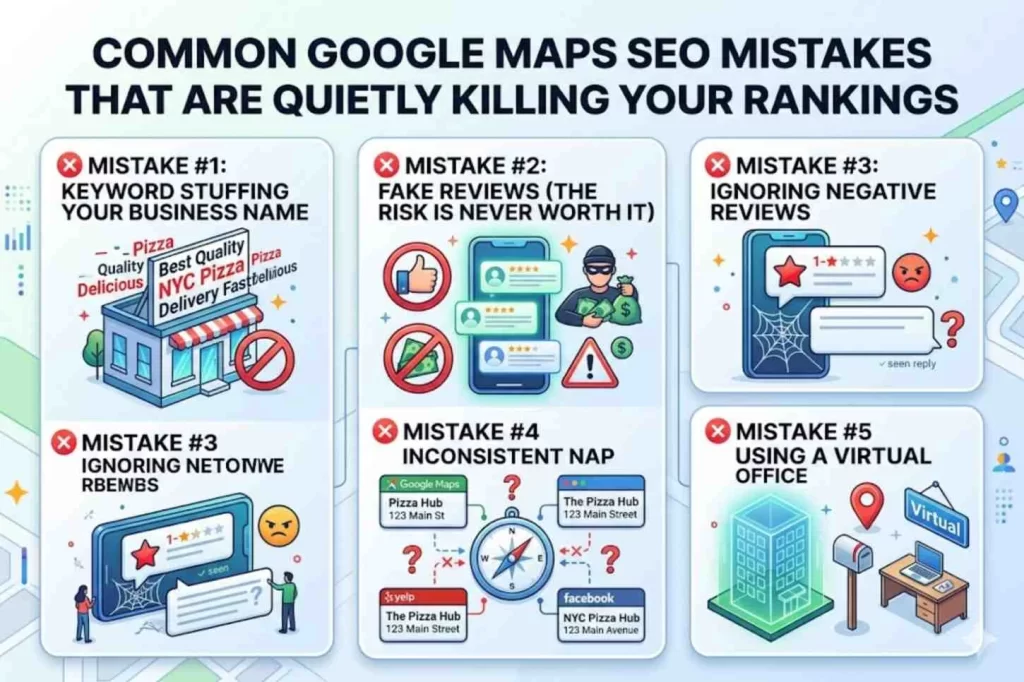
Common Google Maps SEO Mistakes That Are Quietly Killing Your Rankings
You can do everything right and still lose your position in the Local 3-Pack because of one silent mistake. These are the most common and damaging errors — all completely avoidable.
❌ Mistake #1: Keyword Stuffing Your Business Name
This is the most tempting — and most dangerous — mistake in local SEO.
Your business is called “Smith’s Plumbing.” Changing it to
“Smith’s Plumbing | Emergency Plumber Manchester | Boiler Repair” won’t boost rankings — it can get you suspended.
Google requires your business name to match your real-world name exactly (signage, website, legal docs). Keyword stuffing is a direct violation, and competitors can easily report it.
The right approach:
Use keywords in your description, services, posts, and website — not in your business name.
❌ Mistake #2: Fake Reviews (The Risk Is Never Worth It)
It’s tempting to buy reviews when competitors have more — but it’s never worth it.
Google can detect unnatural patterns (sudden spikes, similar wording, low-quality accounts). When flagged, reviews are removed and your profile can be penalised or suspended. In the UK, fake reviews can also violate consumer protection laws.
The right approach:
Build a consistent review system. Even a few genuine reviews per week will outperform fake ones over time.
❌ Mistake #3: Ignoring Negative Reviews
A negative review isn’t the problem — ignoring it is.
Unanswered reviews damage trust and signal poor engagement. Google also considers response activity as a ranking factor.
The right approach:
Respond within 24–48 hours. Stay professional, acknowledge the issue, and move the conversation offline when needed.
❌ Mistake #4: Inconsistent NAP Across the Web
If your business details don’t match across platforms, Google loses confidence in your legitimacy.
Even small differences (like “Street” vs “St”) can create confusion and weaken rankings.
The right approach:
Audit your listings using tools like BrightLocal or Whitespark and ensure your Name, Address, and Phone number are identical everywhere. Re-check whenever details change.
❌ Mistake #5: Using a Virtual Office Address
Using a virtual office to rank in a better location is risky.
Google can detect shared or virtual addresses, leading to suspension. These addresses also lack real proximity and authority signals.
The right approach:
If you don’t have a physical location, set up as a Service Area Business (SAB) with a hidden address instead.
Best Tools to Improve Your Google Maps Ranking in 2026
Strategy without tools is just theory. These are the key platforms to manage, track, and improve your local rankings.
1. Google Business Profile Manager
Cost: Free
Your central dashboard for managing your listing — from updating info and posting content to responding to reviews and tracking performance.
What to watch:
Insights (views, calls, direction requests, clicks) to measure what’s working.
2. BrightLocal
Cost: From £29/month
A complete local SEO toolkit for:
- Tracking map rankings
- Auditing citations
- Monitoring reviews
Ideal if you want a full view of your local performance.
3. Whitespark
Cost: Free + paid plans
Best for citation building and competitor analysis. Helps you find where competitors are listed and manage reviews efficiently.
4. Google Review Link Generator
Cost: Free
Creates a direct link to your review form — making it easier for customers to leave feedback.
Use it in: emails, SMS, receipts, and thank-you pages.
5. Google Search Console + PageSpeed Insights
Cost: Free
Essential for monitoring website health, indexing, and speed — all of which impact your Maps rankings.
Service Area Businesses (SABs): How to Rank on Google Maps Without a Physical Address
Not every business has a physical location — and that’s fine. Many service-based businesses operate remotely and can still rank effectively.
What Is a Service Area Business (SAB)?
A business that travels to customers instead of serving them at a fixed location. Google allows SABs to hide their address while still appearing in search results.
How SABs Can Rank Without a Displayed Address
SABs face more competition due to the lack of proximity signals — but ranking is still achievable with the right setup.
1. Define Your Service Areas Precisely
List specific towns or cities you serve — not broad regions. Precision improves relevance.
2. Optimise Your GBP Description for Service Area Keywords
Since your address isn’t visible, your description and services sections carry even more weight. Write your description to naturally include the locations you serve: “We provide emergency electrical services across Preston, Blackburn, Warrington, and the wider Lancashire area.”
3. Build Citations That Include Your Service Areas
Add your service areas in directory descriptions wherever possible to strengthen local signals.
4. Create Location-Specific Service Pages on Your Website
Build pages like:
- “Boiler Repair in Chorley”
- “Emergency Plumber in Preston”
These act as strong geographic signals for your GBP.
Hidden Address Optimisation Tips for SABs
- Use a real address for verification (never fake or virtual)
- Keep your service area realistic and focused
- Maintain consistent business name and phone number across listings
- Encourage customers to mention locations in reviews
Service Area Schema Markup for SABs
For SABs, your LocalBusiness JSON-LD schema should include an areaServed property instead of (or in addition to) a fixed address:
json { “@context”: “https://schema.org”, “@type”: “LocalBusiness”, “name”: “Trafficly Digital Marketing”, “url”: “https://trafficly.net/”, “telephone”: “+448432893468”, “areaServed”: [ {“@type”: “City”, “name”: “Preston”}, {“@type”: “City”, “name”: “Blackpool”}, {“@type”: “City”, “name”: “Lancaster”} ], “serviceType”: “Digital Marketing Agency” } |
This helps Google understand exactly where you operate and improves your visibility for local searches.
| Is your business still invisible on Google Maps? Trafficly’s UK local SEO specialists build the exact systems described in this guide — done for you, completely. Email: info@trafficly.net Call: 0843 289 3468 Book a Free Strategy Call With Trafficly Today |
FAQ’s
Q1: How long does it take to rank higher on Google Maps?
Most businesses begin seeing measurable movement within 4–8 weeks of consistent optimisation. Competitive markets may take 3–6 months for top 3-Pack placement. The key is consistency — not one-time fixes.
Q2: Does having more Google reviews guarantee a higher ranking? Reviews are a major factor, but not the only one. A business with 50 well-respected, recent reviews and a fully optimised GBP will typically outrank a competitor with 200 old, unanswered reviews. Quality, recency, and velocity matter more than sheer volume.
Q3: Can I rank on Google Maps without a physical address?
Yes — Service Area Businesses (SABs) can rank, but it’s harder. Businesses with a verified, publicly displayed physical address consistently outperform SABs in competitive searches. If possible, consider a registered business address.
Q4: Does my website affect my Google Maps ranking?
Absolutely. Google evaluates the quality, speed, mobile-friendliness, and local relevance of your linked website. A poor website drags down even a perfectly optimised GBP. Schema markup, page speed, and localised content are all critical.
Q5: What is the Google Local 3-Pack?
The Local 3-Pack (or Map Pack) is the block of three business listings that appears at the top of Google’s search results for local queries — above the organic blue links. It includes a map, business name, rating, hours, and distance. Appearing here delivers enormous visibility and click-through rates.
Q6: How does Trafficly help businesses rank on Google Maps?
Trafficly is a UK-based digital marketing agency that offers end-to-end local SEO services — from GBP optimisation and citation building to technical SEO audits and review strategy. We’ve helped businesses across the UK break into the Local 3-Pack and maintain that position long-term.
Ready to Go From Invisible to #1 on Google Maps?
Ranking at the top of Google Maps isn’t luck — it’s a repeatable, learnable system. But doing it right requires time, expertise, and consistency across dozens of ranking signals.
That’s exactly what Trafficly delivers.
We’ve helped UK businesses across competitive industries claim their place in the Local 3-Pack — driving real foot traffic, real phone calls, and real revenue.
Don’t leave your Google Maps ranking to chance.
📧 Email us: info@trafficly.net
📞 Call us: 0843 289 3468
🌐 Visit: https://trafficly.net/
Trafficly — The UK’s Local SEO Growth Agency. More Visibility. More Customers. More Revenue.
