
Website Migration Explained: What It Is, Why It’s Risky & How to Do It Without Losing Your Google Rankings
Quick Answer
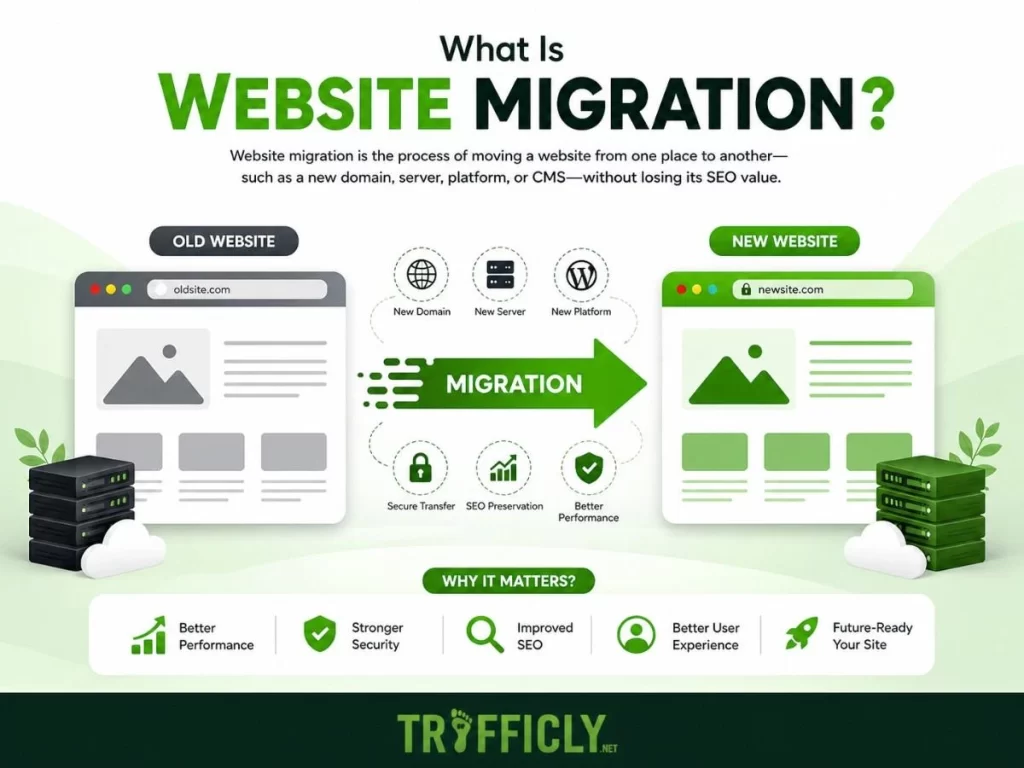
Website migration is the process of making significant structural, technical, or location-based changes to your website, such as switching platforms, changing your domain, or redesigning your site architecture in a way that directly impacts your search engine visibility, organic traffic, and user experience.
In short? It’s one of the most powerful and most dangerous moves a business can make online.
Done right, it can skyrocket your rankings, improve conversions, and future-proof your digital presence. Done wrong, it can wipe out years of SEO progress overnight.
Worried about an upcoming website move?
Contact Trafficly’s migration experts before you touch a single file.
📧 info@trafficly.net | 📞 0843 289 3468
Introduction: This Isn’t a Paint Job — It’s a Full Renovation
Most business owners think of a website migration the way they think of redecorating a room — move a few things around, slap on a fresh coat of paint, done.
The reality? Website migration is closer to demolishing and rebuilding the entire premises while your customers are still inside.
Every URL you change, every page you restructure, every platform you switch — Google notices. And if it doesn’t like what it sees, your organic traffic can drop by 30%, 50%, even 80% within weeks of going live.
We’ve seen it happen to businesses across the UK — from SMEs in Bolton to B2B firms in Manchester — who tackled a migration without a strategy and paid the price in lost leads, lost rankings, and lost revenue.
This guide will walk you through everything you need to know about website migration: what it is, the different types, the risks most agencies won’t tell you about, and the exact process Trafficly uses to protect — and grow — your online presence during a migration.
What Is Website Migration? (The Full Definition)
Website migration refers to any significant change made to a website that has the potential to affect its search engine indexing, crawlability, ranking positions, or organic traffic.
This goes far beyond just “moving your website.” It includes:
- Switching from one hosting provider to another
- Moving between CMS platforms (e.g., WordPress to Shopify, or Magento to a custom build)
- Changing your domain name or URL structure
- Redesigning your entire site layout or navigation
- Moving from HTTP to HTTPS (SSL implementation)
- Consolidating multiple websites into one
- Restructuring internal page hierarchies
The common thread? Each of these changes communicates something to Google — and if that communication is unclear, broken, or unplanned, your rankings suffer.
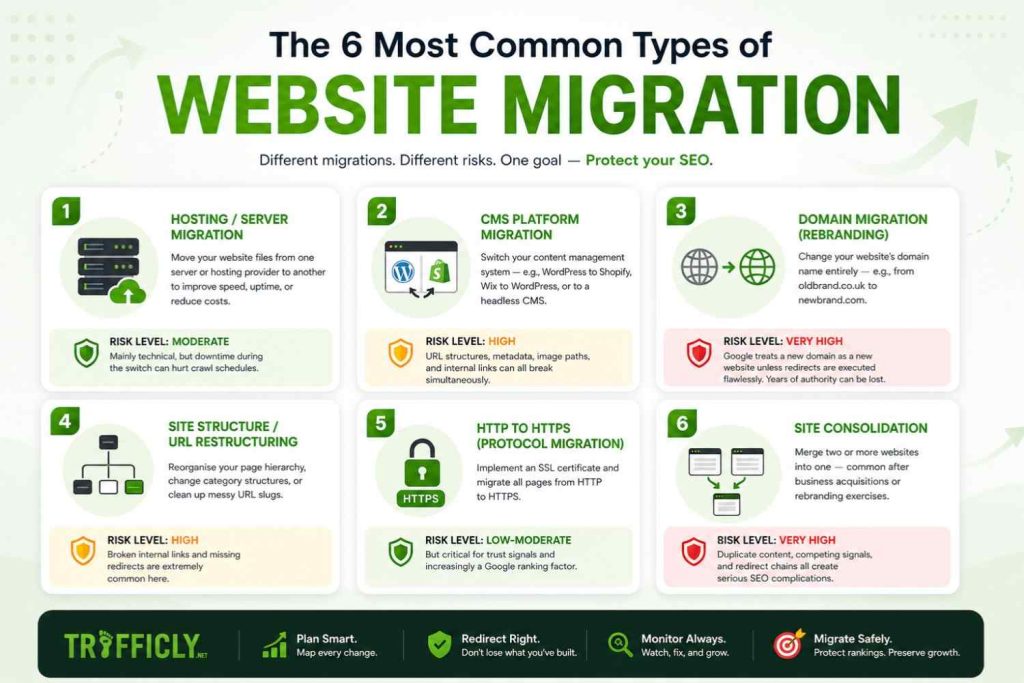
The 6 Most Common Types of Website Migration
1. Hosting / Server Migration
Moving your website files from one server or hosting provider to another. Often done to improve speed, uptime, or reduce costs.
Risk level: Moderate — mainly technical, but downtime during the switch can hurt crawl schedules.
2. CMS Platform Migration
Switching your content management system — for example, moving from WordPress to Shopify, from Wix to WordPress, or from a custom-built CMS to a headless architecture.
Risk level: High — URL structures, metadata, image paths, and internal links can all break simultaneously.
3. Domain Migration (Rebranding)
Changing your website’s domain name entirely — e.g., from oldbrand.co.uk to newbrand.com.
Risk level: Very High — Google treats a new domain as a new website unless redirects are executed flawlessly. Years of domain authority can be lost.
4. Site Structure / URL Restructuring
Reorganising your page hierarchy, changing category structures, or cleaning up messy URL slugs.
Risk level: High — broken internal links and missing redirects are extremely common here.
5. HTTP to HTTPS (Protocol Migration)
Implementing an SSL certificate and migrating all pages from HTTP to HTTPS.
Risk level: Low-Moderate — but critical for trust signals and increasingly a Google ranking factor.
6. Site Consolidation
Merging two or more websites into one — common after business acquisitions or rebranding exercises.
Risk level: Very High — duplicate content, competing signals, and redirect chains all create serious SEO complications.
Why Do Businesses Migrate Their Websites?
Understanding the why behind migration helps you approach it with a clear strategy rather than just a technical checklist. The most common reasons UK businesses migrate include:
- Performance Issues: Your current platform is slow, limiting mobile experience, or struggling under traffic load
- Rebranding: A company name change, acquisition, or new brand identity requires a new domain
- Security Upgrades: Moving to a more secure server environment or implementing HTTPS
- Scalability: Your business has outgrown its current CMS or hosting solution
- UX & Conversion Improvement: The existing design is outdated, not mobile-optimised, or converting poorly
- Cost Reduction: Moving to a more cost-effective platform or hosting provider
- Regulatory Compliance: GDPR, accessibility standards, or industry regulations demanding structural changes
Each of these is a valid reason — but none of them automatically justify migration unless the business case is supported by a solid SEO and technical plan.
Planning a Migration? Don’t Risk Your Rankings
📧 info@trafficly.net | 📞 0843 289 3468
The Real Risks of Website Migration (What Most Agencies Don’t Tell You)
Here’s the uncomfortable truth the web design industry rarely leads with:
A poorly executed website migration is one of the fastest ways to destroy your organic traffic.
These are the specific risks every business must understand before touching their site:
❌ Loss of Indexed URLs
When URLs change without proper 301 redirect mapping, Google loses track of your existing pages. Those pages effectively disappear from search results — taking all their accumulated ranking power with them.
❌ Broken Internal Link Architecture
Your internal links pass SEO authority between pages. A migration that doesn’t audit and update every internal link creates broken pathways — diluting your domain authority and creating a poor user experience.
This is exactly why we recommend reading our guide on Technical SEO Audit Services to Stop Lead Loss before you begin any structural changes.
❌ Lost Backlink Equity
Every backlink pointing to your old URLs represents earned authority. Without correctly mapping 301 redirects, those backlinks point to dead pages — and that equity evaporates. Our article on the Advantages of Backlinks in SEO explains exactly how much is at stake here.
❌ Metadata Disappearing
Title tags, meta descriptions, canonical tags, schema markup — in a CMS migration, these are routinely lost or duplicated. Google re-crawls your site and finds inconsistent signals, triggering ranking fluctuations.
❌ Domain Authority Reset
If you’re changing your domain name, you’re signalling to Google that a new website exists. Without expertly executed redirect chains and an updated Google Search Console profile, your new domain starts with significantly reduced authority — even if it’s the same business.
❌ Crawl Budget Waste
On larger sites, a poorly structured migration can cause Googlebot to waste its crawl budget on broken redirect chains or duplicate content — meaning your new, important pages get indexed far more slowly.
The Website Migration Process: How Trafficly Does It Right
A successful website migration isn’t a single event — it’s a structured, phased process that begins weeks before launch and continues for months afterward.
Here’s the framework Trafficly uses for every client migration:
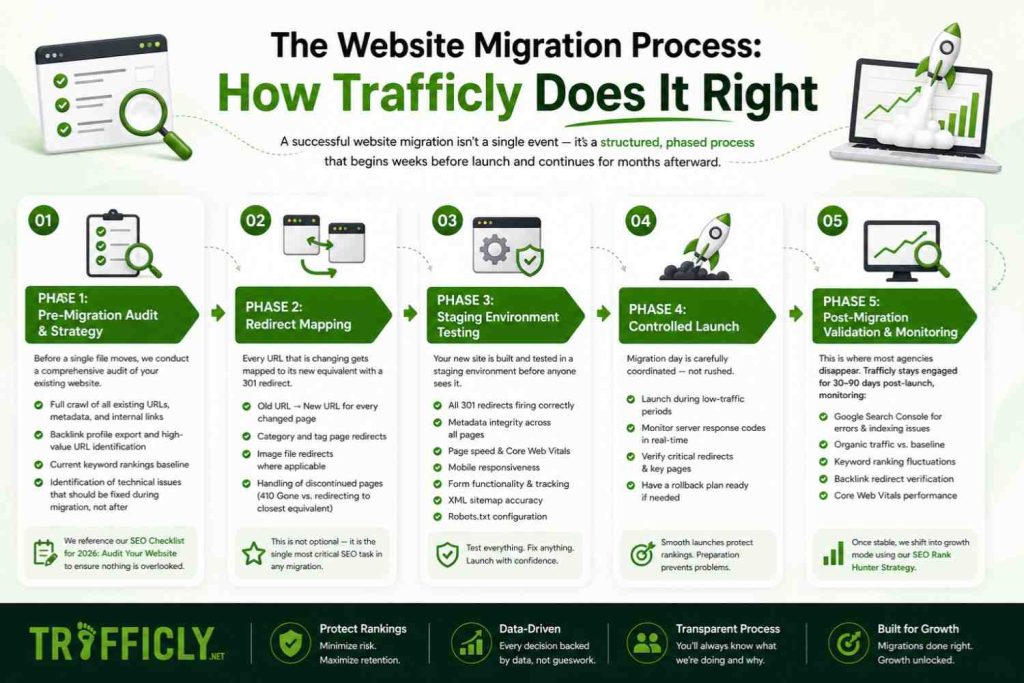
Phase 1: Pre-Migration Audit & Strategy
Before a single file moves, we conduct a comprehensive audit of your existing website. This includes:
- Full crawl of all existing URLs, metadata, and internal links
- Backlink profile export and high-value URL identification
- Current keyword rankings baseline (so we can measure impact immediately post-launch)
- Identification of technical issues that should be fixed during migration, not after
We reference our SEO Checklist for 2026: Audit Your Website at this stage to ensure nothing is overlooked before the move begins.
Phase 2: Redirect Mapping
Every URL that is changing gets mapped to its new equivalent with a 301 redirect. This is not optional — it is the single most critical SEO task in any migration.
We create a complete redirect mapping document that covers:
- Old URL → New URL for every changed page
- Category and tag page redirects
- Image file redirects where applicable
- Handling of discontinued pages (410 Gone vs. redirecting to closest equivalent)
Phase 3: Staging Environment Testing
Your new site is built and tested in a staging environment (a private copy of the live site) before anyone sees it. During staging, we test:
- All 301 redirects firing correctly
- Metadata integrity across all pages
- Page speed and Core Web Vitals scores
- Mobile responsiveness
- Form functionality and conversion tracking
- XML sitemap accuracy
- Robots.txt configuration
Phase 4: Controlled Launch
Migration day is carefully coordinated — not rushed. We execute the launch during low-traffic periods, monitor server response codes in real-time, and have a rollback plan ready if anything critical fails.
Phase 5: Post-Migration Validation & Monitoring
This is where most agencies disappear. Trafficly stays engaged for 30–90 days post-launch, monitoring:
- Google Search Console for crawl errors, indexing issues, and manual actions
- Organic traffic trends vs. pre-migration baseline
- Keyword ranking fluctuations
- Backlink redirect verification
- Core Web Vitals performance
Once migration is stable, we shift into growth mode — using our SEO Rank Hunter Strategy to identify new low-competition keyword opportunities your newly optimised site is positioned to capture.
Website Migration Checklist: The Essential Non-Negotiables
For businesses that want a quick reference, here’s what a professionally managed migration must always include:
✅ Complete URL inventory and redirect mapping
✅ Pre-migration keyword ranking baseline
✅ Metadata migration (title tags, meta descriptions, canonicals)
✅ XML sitemap update and resubmission to Google Search Console
✅ Robots.txt review and update
✅ Internal link audit and update
✅ Backlink redirect verification
✅ Schema markup migration
✅ Page speed / Core Web Vitals audit
✅ Google Analytics & conversion tracking validation
✅ Google Search Console property update
✅ 30-day post-launch monitoring
Miss even three or four of these and you’re gambling with your organic visibility.
Can You Do Website Migration Yourself?
Technically? Yes. For a very small website with fewer than 20 pages, minimal backlinks, and no dependency on organic traffic — a DIY migration with careful planning is possible.
But for any business where:
- Organic search drives leads or revenue
- You have 50+ indexed pages
- You’re switching CMS platforms entirely
- You’re changing your domain name
- You’ve spent years building backlink authority
…the cost of getting it wrong far exceeds the cost of professional management.
A single month of suppressed organic traffic for a UK B2B business can mean tens of thousands of pounds in lost pipeline. Professional migration management from a specialist agency like Trafficly is not an overhead — it’s revenue protection.
Protect Your Traffic & Contact Us Today
How Website Migration Affects Local SEO (Important for UK Businesses)
If your business relies on local search visibility — appearing in Google Maps, local pack results, or city-specific searches across Bolton, Blackburn, Manchester, or Preston — a domain migration carries additional risks that are often overlooked:
- Your Google Business Profile is linked to your existing domain. A domain change without updating your GBP signals inconsistency to Google’s local algorithm.
- NAP consistency (Name, Address, Phone) across directories must be updated everywhere your old domain appears — or local rankings suffer.
- Local citation backlinks pointing to old URLs must be redirected correctly.
Trafficly’s Local SEO Services include a full local citation audit as part of every migration package — ensuring your map rankings and local visibility are protected throughout the process.
Final Thoughts: Migration Is a Strategy, Not Just a Technical Task
Website migration is not a checkbox exercise. It is a high-stakes, business-critical process that requires the intersection of technical expertise, SEO strategy, and meticulous project management.
The businesses that come out of a migration stronger — with better rankings, faster pages, and higher conversion rates — are the ones that treated it as a strategic investment, not a cost-cutting IT project.
At Trafficly, we’ve guided UK businesses through complex migrations while protecting every percentage point of their organic traffic. We combine deep technical SEO knowledge with conversion-focused web development to ensure your new site doesn’t just look better — it performs better, from day one.
FAQ: What Is Website Migration?
Q: How long does website migration take?
A: Depending on the size and complexity of the site, a professionally managed migration typically takes 4–12 weeks from audit to post-launch monitoring. Rushing this timeline is one of the most common causes of migration failure.
Q: Will I lose rankings after a website migration?
A: A small, temporary fluctuation is normal and expected. However, with proper redirect mapping, metadata migration, and post-launch monitoring, rankings should recover and often improve within 4–8 weeks. Significant, lasting drops are a sign of execution errors.
Q: What’s the difference between a website redesign and a website migration?
A: A redesign focuses on visual and UX changes. A migration involves structural, technical, or location-based changes that affect how search engines index your site. Many redesigns trigger a migration — which is why they must be handled with SEO strategy, not just design thinking.
Q: Do I need to inform Google about my website migration?
A: Yes. For domain migrations, you must update your Google Search Console property, resubmit your XML sitemap, and use the “Change of Address” tool within GSC. Failing to do so significantly delays Google’s ability to recognise and transfer your authority to the new domain.
Q: How much does professional website migration cost in the UK?
A: It varies based on site size, complexity, and CMS involved. Trafficly offers transparent, project-based pricing. Contact us for a free assessment and quote tailored to your specific migration needs.
Q: Can a website migration improve my SEO?
A: Absolutely — when planned strategically. A migration is an opportunity to fix existing technical issues, improve site architecture, boost page speed, implement proper schema, and restructure content around high-value keywords. Trafficly approaches every migration as both a protection exercise and a growth opportunity.
Ready to Migrate Without the Risk?
Don’t leave your Google rankings to chance. Whether you’re switching platforms, rebranding, or restructuring your entire site — Trafficly’s migration specialists will protect your traffic, preserve your authority, and position your new site for growth.
📧 Email: info@trafficly.net
📞 Call: 0843 289 3468
🌐 Visit: trafficly.net — Your Digital Growth Partner Across the UK
Trafficly is a results-driven digital marketing agency in the UKspecialising in SEO, web development, and conversion optimisation for ambitious B2B businesses.
